

The Descriptive Writing Test in banking examinations, such as IBPS PO, SBI PO, and RBI Grade B, is a critical section that directly influences your final merit selection. Although candidates spend months preparing essays, letters, reports, or précis writing, many experience unexpected score drops on exam day simply because they are unfamiliar with the Bank Descriptive Exam Typing Interface Rules.
Unlike standard word processors, such as Microsoft Word, the exam console provided at TCS iON test centres operates under strict technical constraints. Furthermore, because responses may be processed through Automated Essay Scoring (AES) software, even minor technical errors in spacing, capitalization, and paragraph formatting can potentially affect the evaluation.
Quick Summary: Typing Rules at a Glance (Bank Descriptive Exam)
| Interface Feature | Technical Specification | Scoring Impact |
|---|---|---|
| Spellcheck & Autocorrect | ❌ Completely Disabled | Misspellings may trigger AES penalties |
Cut, Copy, Paste (Ctrl+C/V) | ❌ Disabled | You must type all text manually |
| Backspace & Delete | ✅ Fully Functional | You can edit text within the time limits |
| Mouse Navigation | ✅ Allowed | You can click anywhere in the text box to edit |
| Live Word Counter | ✅ Displayed on Screen | Tracks text length against the prescribed limits |
1. Breakdown of Bank Descriptive Exam Typing Interface Rules
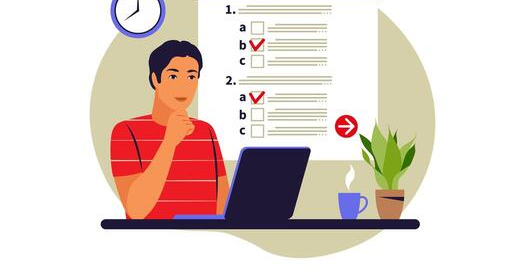
Once you complete the objective section of the Mains exam, the system automatically transitions to the descriptive test console. Therefore, understanding the Bank Descriptive Exam Typing Interface Rules beforehand helps you avoid panicked mistakes during the live test.
A. The Split-Screen Layout
The exam screen is divided vertically into two main sections:
- Left Window (Question Panel): Displays the question prompt, word limit guidelines, and optional topic choices.
- Right Window (Text Editor): Contains a plain, unstyled text box where you type your answer.
B. Keyboard Shortcuts & Formatting Restrictions
- No Clipboard Shortcuts: The console may block keyboard shortcuts such as
Ctrl+C,Ctrl+V,Ctrl+X, andCtrl+A. Consequently, if you wish to rewrite a sentence, you cannot rely on copying and pasting it. Instead, you must delete it and type it again. - No Formatting Tools: The interface does not provide options for bold, italics, underlining, or alignment adjustments. As a result, your text appears in a simple mono space font.
- Avoid Bullet Points or Symbols: Automated evaluation software may process continuous prose more reliably than unusual symbols. Therefore, avoid bullet points (
•) or unfamiliar symbols that could cause compatibility issues, and organize your response into clear, structured paragraphs.
2. How Automated Evaluation Measures Mistakes for Bank Descriptive Exam
Under the Bank Descriptive Exam Typing Interface Rules, descriptive papers may be evaluated using Automated Essay Scoring (AES) software alongside human spot-checks. The software may assess your writing across four core parameters: Grammatical Accuracy, Vocabulary Range, Structural Coherence, and Content Relevance.
Therefore, understanding how the evaluation system identifies errors helps you avoid unnecessary mark deductions.
A. Dictionary Matches & Spelling Errors
Because red squiggly lines and autocorrect functions may be disabled, typos can remain unnoticed unless you identify them manually. An automated scoring engine may compare typed words against a dictionary database. Consequently, misspelled terms, such as typing “government“ instead of “government”, can affect your score under lexical accuracy.
B. Spacing & Punctuation Rules
Another common area where candidates make mistakes is punctuation spacing. Therefore, always follow standard English punctuation conventions.
- Incorrect:
Banking sectors,especially public banks,play a vital role . - Errors: Missing spaces after commas and an extra space before the period.
- Correct:
Banking sectors, especially public banks, play a vital role. - Rule: Attach punctuation directly to the preceding word, followed by a single space before the next word.
C. Capitalization Errors
Similarly, failing to capitalize the first letter of a new sentence or proper nouns, such as typing sbi or india in lowercase, can reduce the grammatical accuracy of your response. Therefore, capitalize sentence beginnings and proper nouns correctly.
3. Word Limits & Time Management for Bank Descriptive Exam
Following the Bank Descriptive Exam Typing Interface Rules regarding word counts is essential for maintaining a well-structured response and achieving a high score.
- Essay Writing (IBPS PO): 250–300 words.
- Situation Analysis / Report Writing (SBI PO): 100–150 words.
- Letter / Email Writing: 150–200 words.
Scoring Impact
- Under-typing: Writing substantially fewer words than required may result in incomplete content development and weaken your arguments. Therefore, ensure that you address all essential aspects of the topic.
- Over-typing: Exceeding the prescribed word limit may affect conciseness and time management. Additionally, text beyond the permitted limit may be truncated if the examination software imposes such a restriction.
4. Best Practices to Maximize Your Marks
To follow the Bank Descriptive Exam Typing Interface Rules effectively on exam day, incorporate the following practices into your preparation routine.
- Practice on a Desktop USB Keyboard: Avoid practicing exclusively on laptop keyboards or mobile screens. Instead, use a standard desktop keyboard regularly so that you become comfortable with its key layout and typing mechanics.
- Leave Blank Lines Between Paragraphs: Press
Entertwice between your introduction, body paragraphs, and conclusion, provided the interface supports this formatting. This approach helps maintain a clear and organized structure. - Use Clear, Simple Vocabulary: Avoid complex words unless you are completely confident about their spelling and meaning. Consequently, prioritize simple, precise, and error-free writing over unnecessarily complicated vocabulary.
- Reserve 2 Minutes for Proofreading: Dedicate the final 120 seconds of your test window to reviewing your response. In particular, check for spelling mistakes, missing spaces after punctuation marks, unnecessary spaces before periods, and capitalization errors.
⚠️ Critical Exam Note:
Pressing the Spacebar twice or inserting spaces before commas (word ,) is flagged as a syntax error by Automated Essay Scoring (AES) engines. Always attach punctuation directly to the word.
Some Cool Quantitative Aptitude Shortcut Tricks for you!
Written by: Suresh Kumar
Reviewed by: Nokari Editorial Team (Divyesh)
Published: 12 October 2026
Last Updated: 12 October 2026
About the Author



2 thoughts on “Bank Descriptive Exam Typing Interface Rules: How to Score High”