
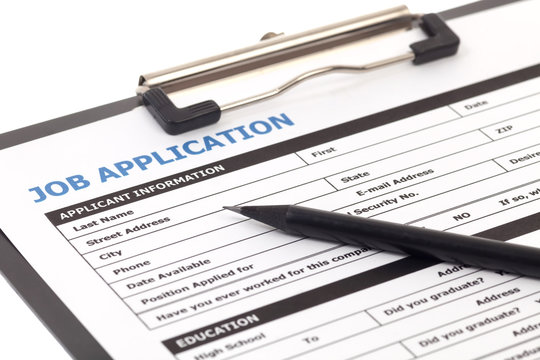
How to Correct Govt Exam Application Form Mistakes? Submitting an online application form with incorrect personal details, category choices, or uploaded documents is a major concern for candidates preparing for competitive exams like SSC, UPSC, Railways, and State PSCs. Moreover, even minor spelling discrepancies can lead to application rejection or disqualification during the final Document Verification (DV) stage.
1. Utilizing Official Online Correction Windows
Most major exam conducting bodies (such as the Staff Selection Commission, Union Public Service Commission, and Railway Recruitment Boards) provide a dedicated Form Correction Window after the initial application portal closes.
[ Application Portal Closes ] ──► [ Correction Window Opens (2–5 Days) ] ──► [ Fee Payment & Re-Submission ]
Key Guidelines During Correction Windows:
Timelines: Correction windows typically remain open for 2 to 5 days only. Therefore, candidates must act immediately once the notification is published.
Correction Fees: Exam authorities usually charge a nominal modification fee (ranging from ₹200 to ₹500) per revision.
Editable vs. Non-Editable Fields: While candidates can usually modify fields like correspondence address, exam center preference, and uploaded photographs, exam authorities permanently lock core fields like Registration ID, Primary Mobile Number, and Email ID.
2. Editable vs. Non-Editable Fields Matrix
To help candidates determine their next steps, the table below outlines which application details candidates can typically modify online versus those that require alternative administrative solutions:
3. What to Do If the Correction Window Is Closed
If you discover a mistake after the official correction window has closed, follow this 3-step administrative recovery plan:
Step 1: Submit an Official Helpdesk Grievance
First, raise an official ticket through the commission’s candidate portal (e.g., SSC CPGRAMS or UPSC Online Helpdesk). Then, attach your registration receipt, point out the discrepancy clearly, and request an official record update.
Step 2: Prepare a Legal Notarized Affidavit
Next, for minor typographical errors in candidate or parent names (such as missing middle names or minor letter swaps compared to Class 10 certificates), obtain an affidavit printed on ₹10 or ₹50 non-judicial stamp paper.
Sample Affidavit Wording:
“I, [Your Name], solemnly affirm that ‘[Name on Application]’ and ‘[Name on Class 10 Certificate]’ refer to the same individual. I declare that the correct spelling is ‘[Correct Name]’ as evidenced by my official matriculation record.”
Step 3: Retain Original Supporting Certificates
Finally, ensure all original documents—such as your Class 10 mark sheet, Aadhar Card, Caste Certificate, and valid Gazette notification (if applicable)—are organized in a clear folder to present during final Document Verification.
4. How to Avoid Mistakes in Future Applications
First, Verify Class 10 Certificate Details: Always enter your name, father’s name, and date of birth exactly as spelled on your Class 10 (Matriculation) certificate.
Next, Double-Check Image Specifications: Ensure your uploaded photograph features a neutral light background, clear lighting, and meets exact file size limits (typically 20 KB – 50 KB in JPEG format).
Finally, Review the Final Preview Screen: Always read the summary screen carefully before making the final fee payment and submitting the application.
5. Summary & Key Takeaway
In conclusion, finding an error on your application form can be stressful. However, taking prompt action during the official correction window or preparing a legal affidavit ensures your candidacy remains protected throughout the selection process.
ALSO RECOMMENDED — Govt Jobs vs Private: Proven Secrets for Class 12
Written by: Suresh Kumar
Reviewed by: Nokari Editorial Team
Published: 5 October 2026
Last Updated: 5 October 2026
About the Author


1 thought on “How to Correct Govt Exam Application Form Mistakes Guide”
Comments are closed.